Built for Australian rideshare & delivery drivers
Tax, sorted.
For drivers.
Kerbside keeps your earnings, receipts, logbook, BAS and tax return in one place. Spend five minutes a week on it and tax time stops being a scramble.
Works in your browser on phone and computer. Nothing to install.
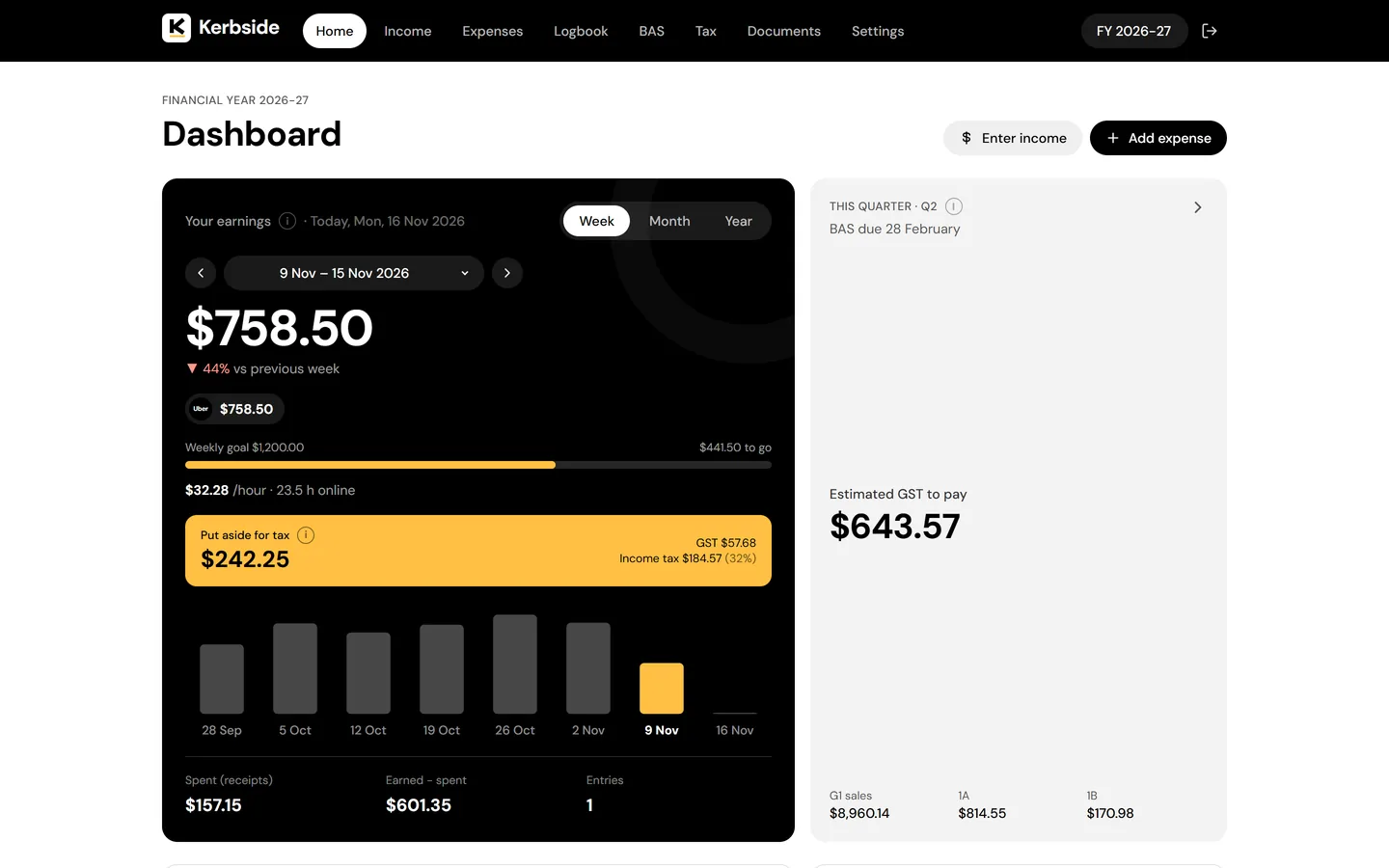
Track every platform you work for
Sound familiar?
Receipts in the glovebox. Six apps. A lot of guessing.
- GST from your first tripRideshare drivers must register and lodge a BAS every quarter.
- The fee trapGST applies to the full fare, including Uber’s service fee, not just your payout.
- The logbook ruleClaiming more than cents per km needs a 12-week logbook.
- Lost receiptsNo receipt usually means no deduction.
Everything in one place
From your first trip to your tax return.
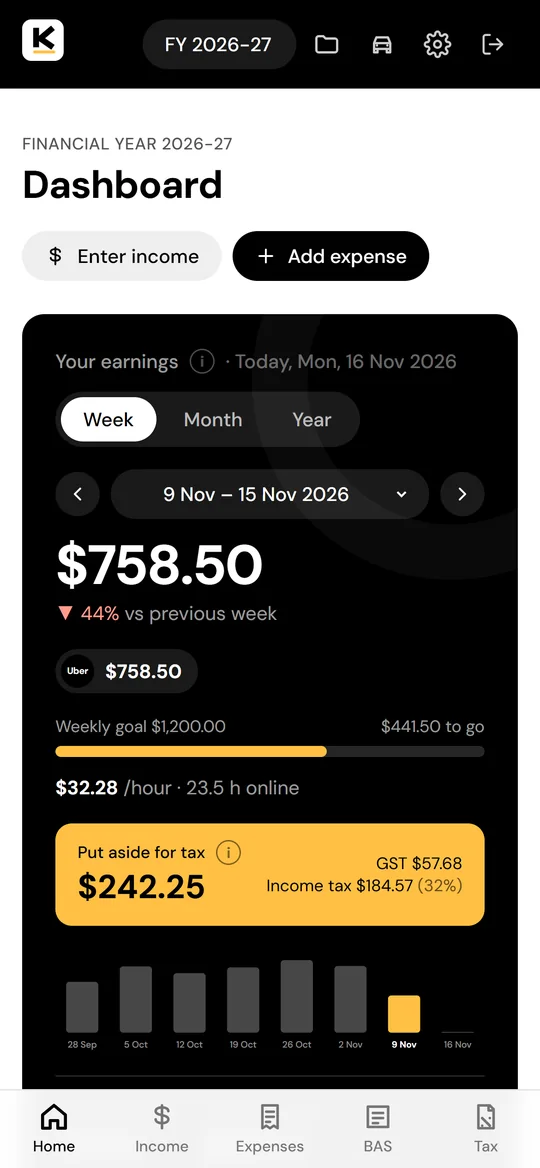
Log a week in seconds
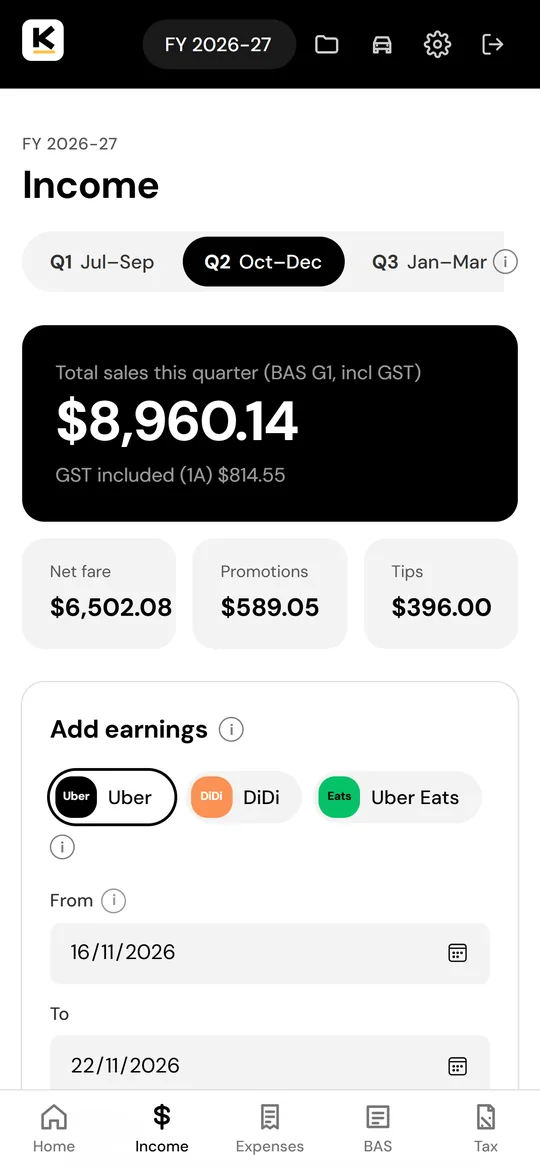
Copy your Uber or DiDi totals (net fare, promotions, tips) or drop in your monthly tax summary PDF and it fills itself in. Week, month and year views, with your real hourly rate.
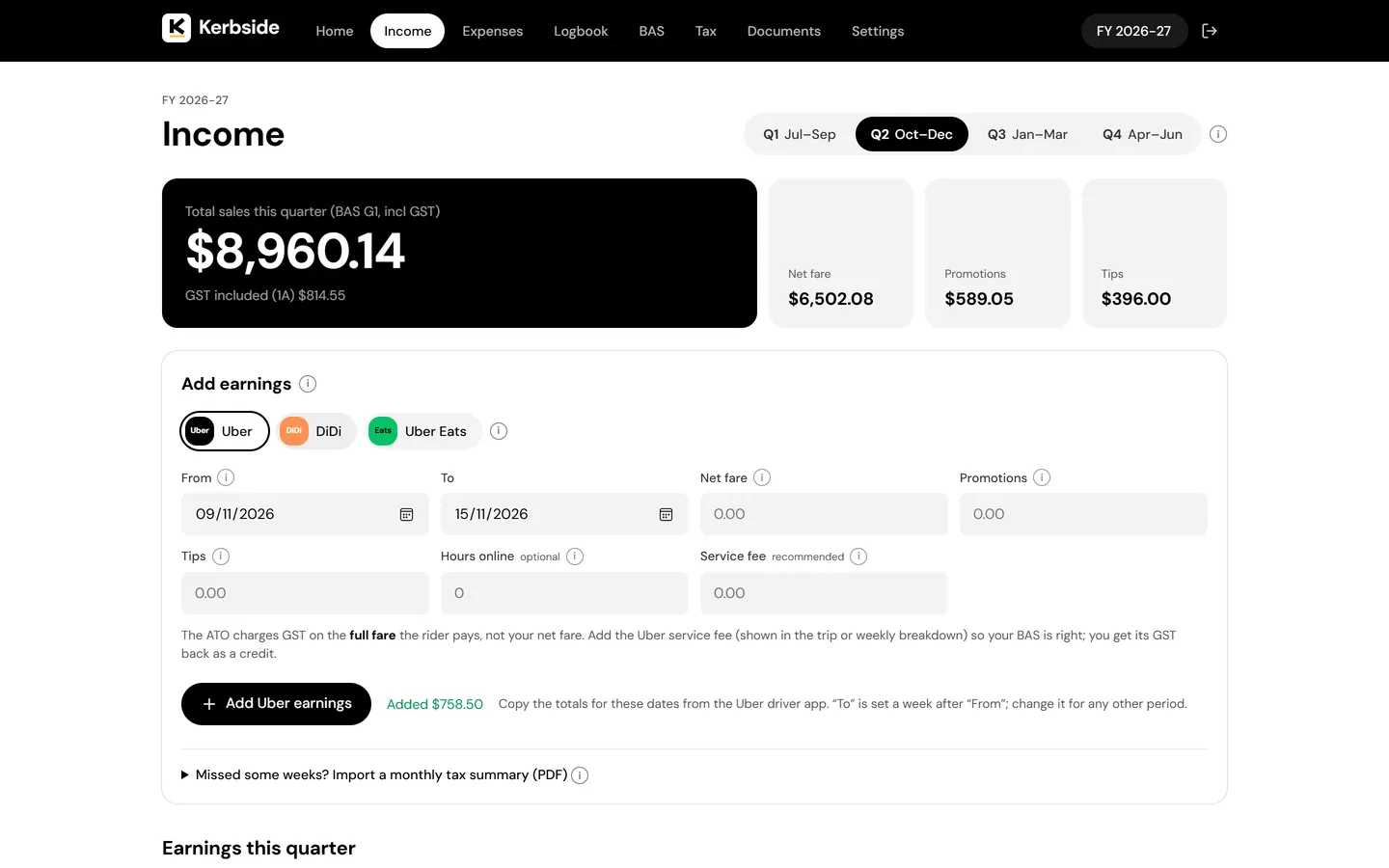
Snap it. Scanned. Stored.
Take a photo and Kerbside reads the total, date and supplier right on your phone. The receipt is kept with the expense, so you’re ready if the ATO ever asks.
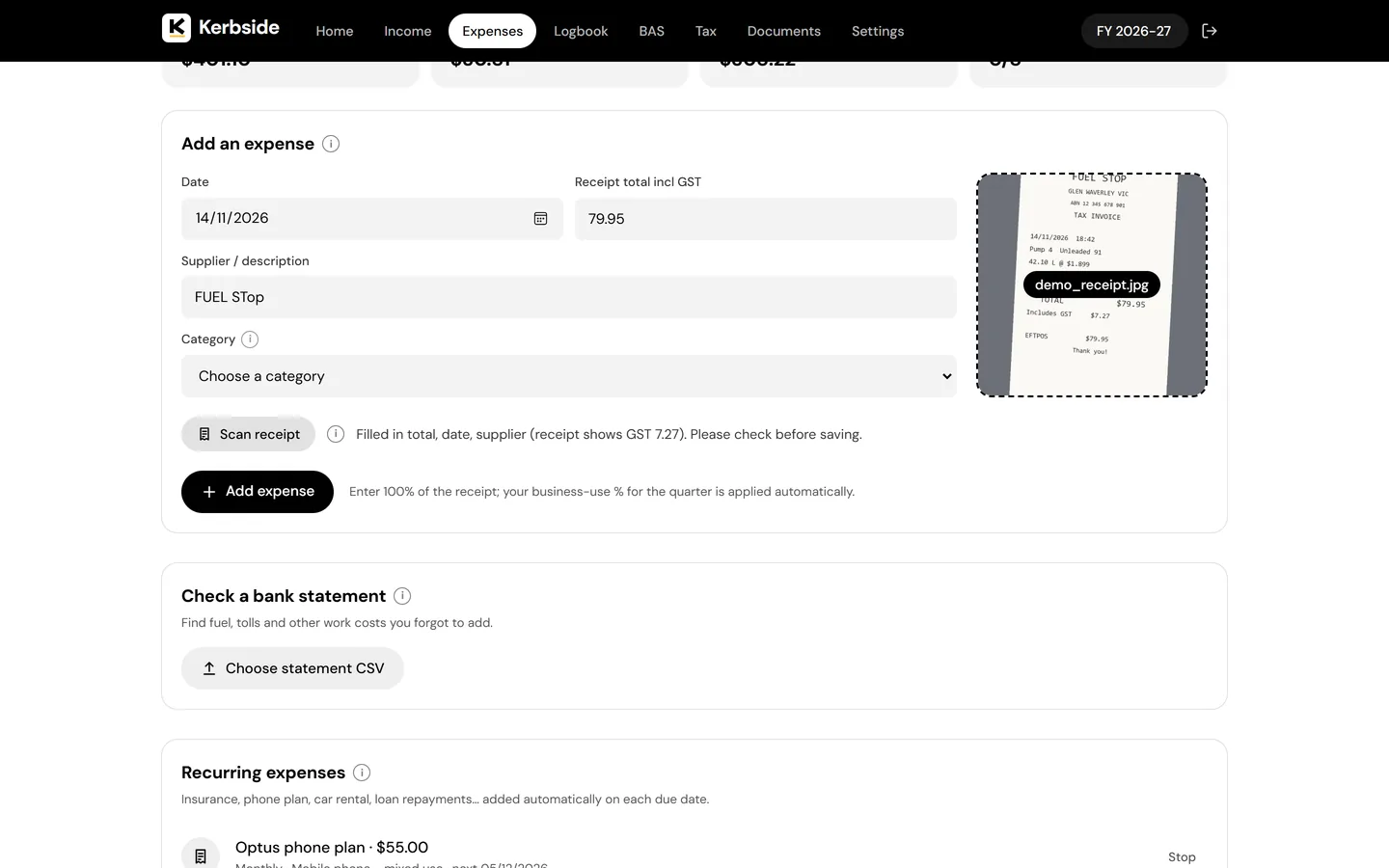
Nothing slips through
Load a bank statement CSV. Kerbside finds the fuel, tolls, parking and phone bills you forgot to add, and totals your platform payouts. The file never leaves your device.
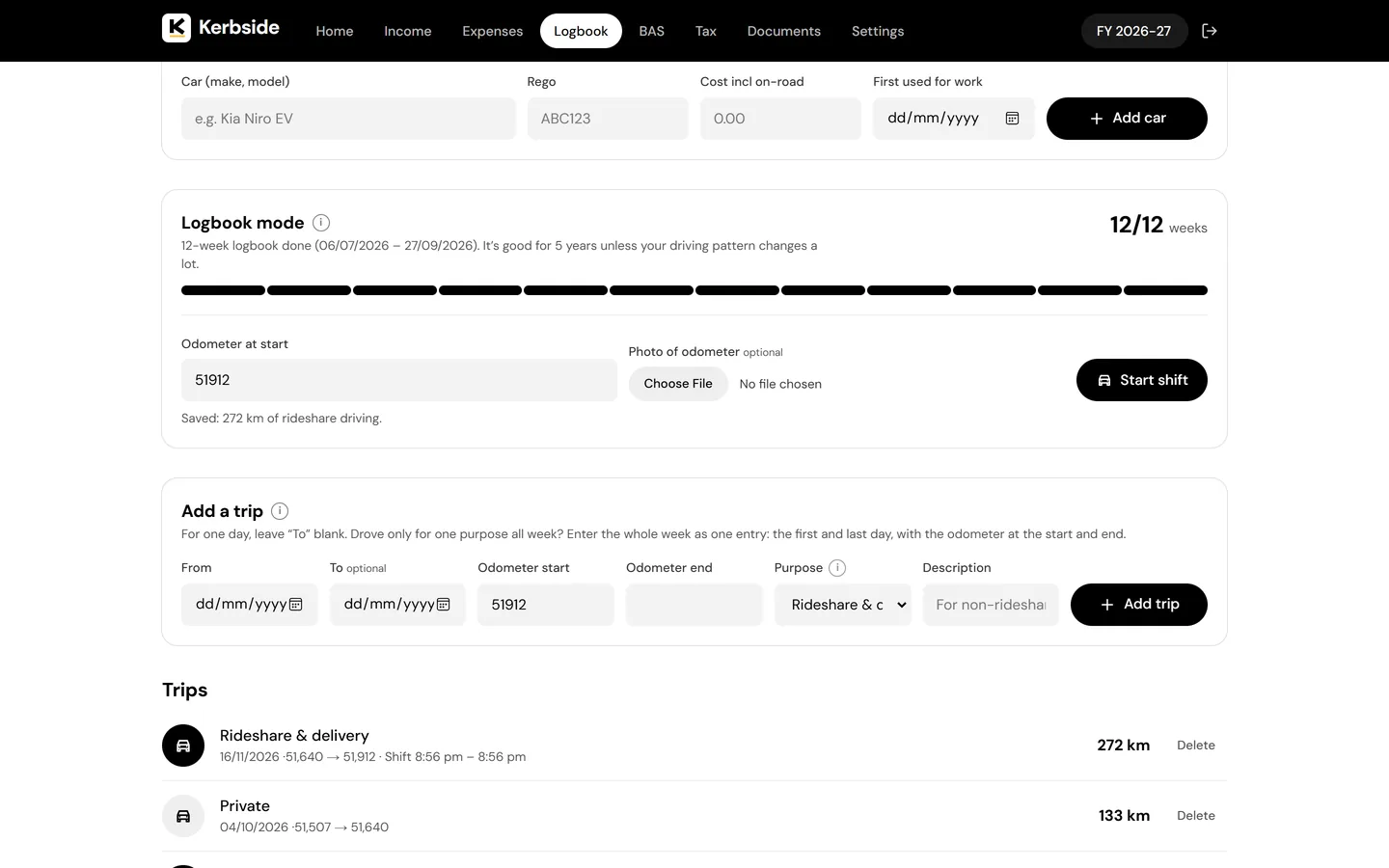
A logbook that builds itself
Tap Start shift and End shift. The 12-week logbook fills in as you drive, with odometer photos as proof, and Kerbside compares the logbook and cents-per-km methods for you.
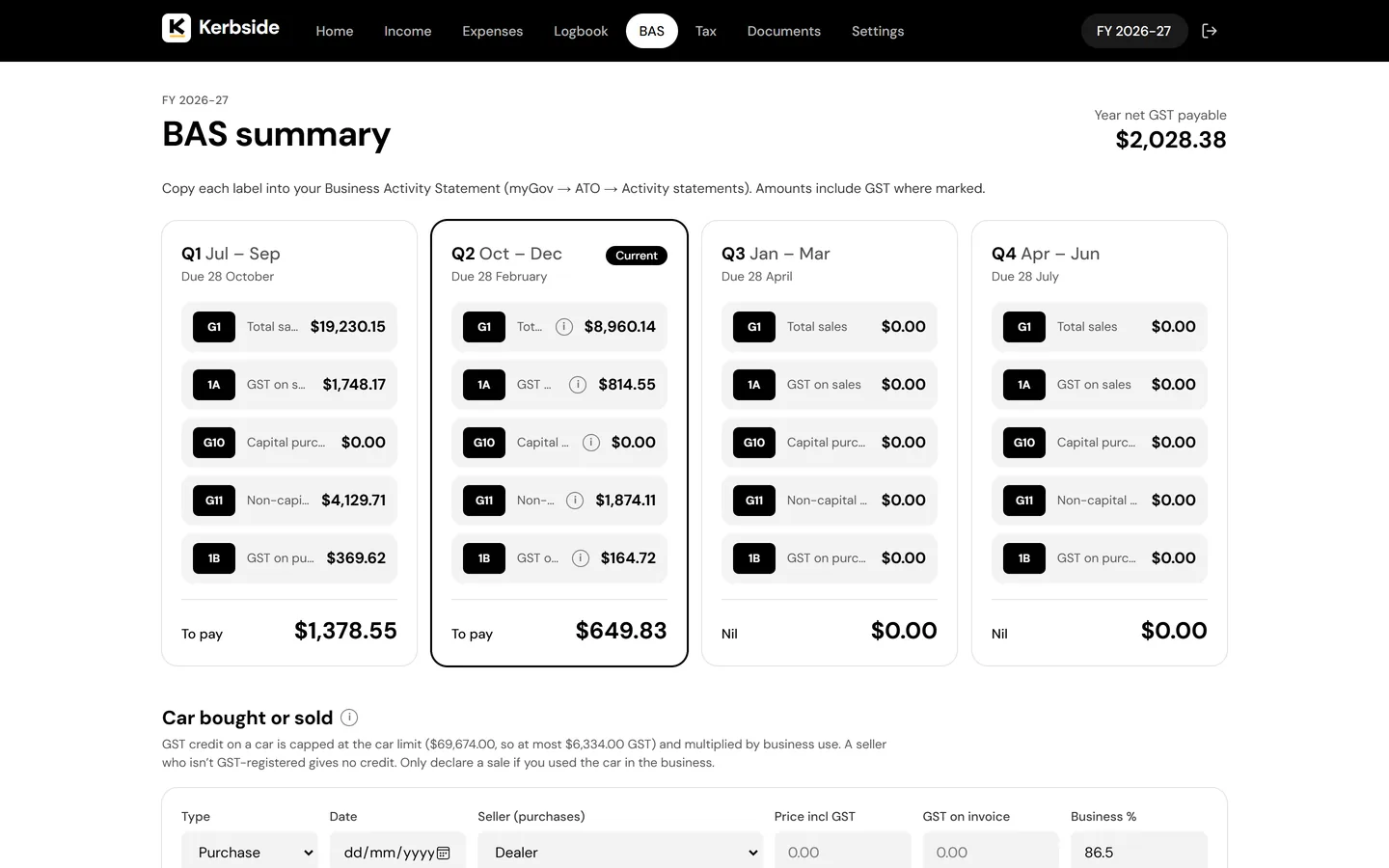
BAS without the headache
Every quarter, G1, 1A and 1B are worked out from your trips and receipts, including GST on the full fare. Open the report and copy three numbers into myGov.
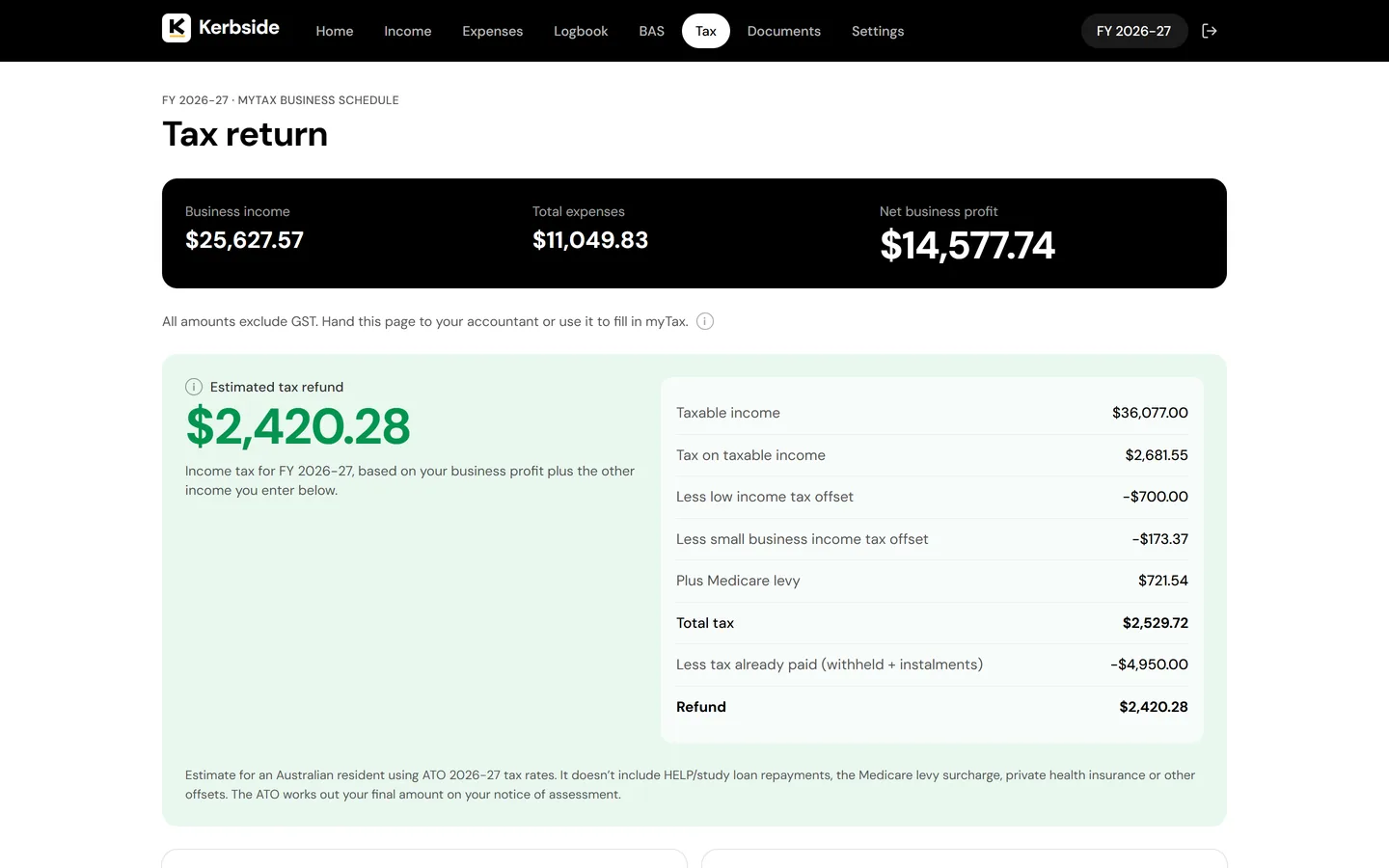
See your refund before you lodge
Your business schedule is laid out the way myTax asks for it, with an estimate of your refund or what you owe. One tap sends your accountant everything in a single zip.
And all the small things that add up.
Every week you see how much to set aside for GST and income tax, so there’s no bill shock.
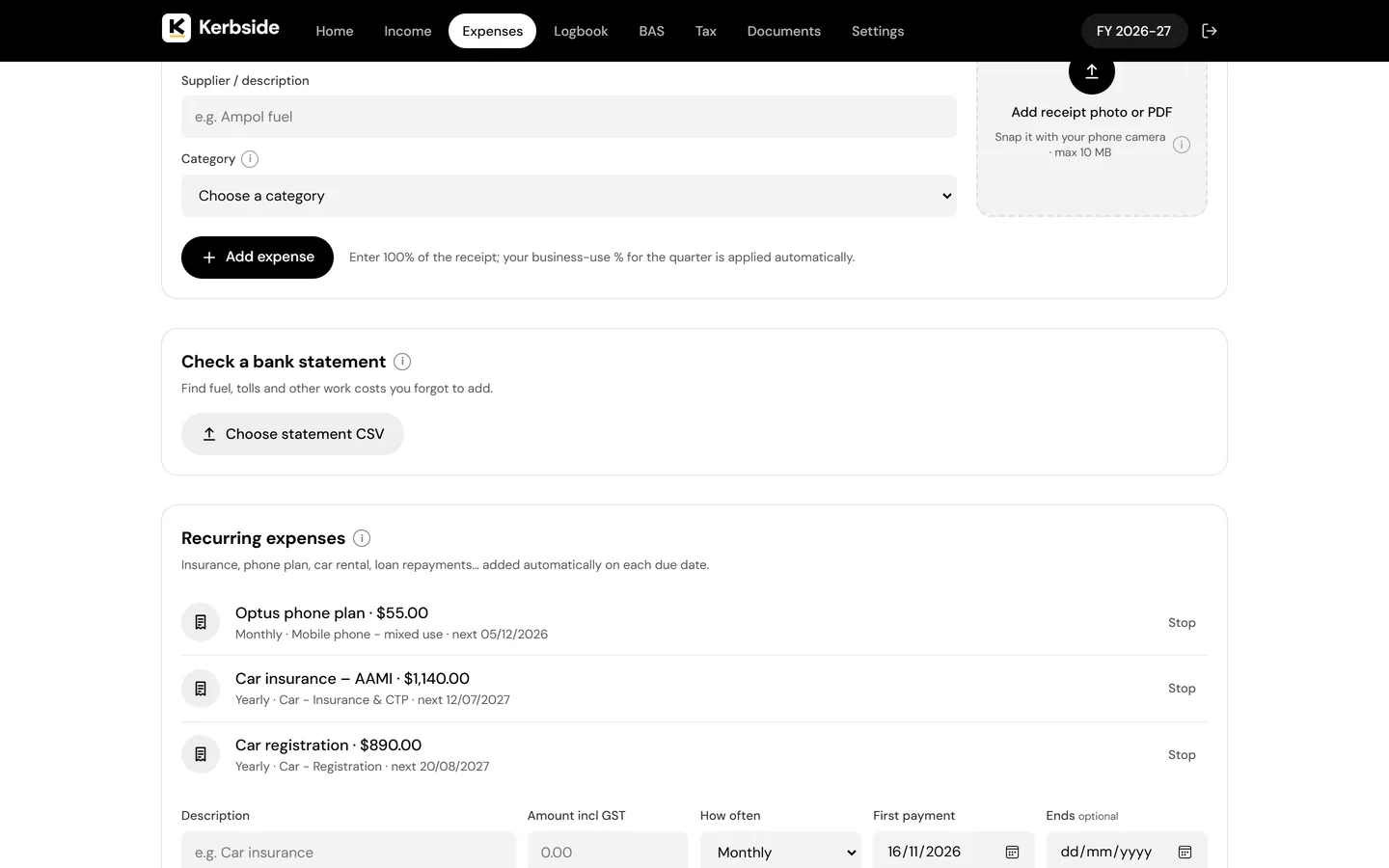
Insurance, rego, phone plan: entered once and added automatically on each due date.
BAS due dates and renewals, straight into your phone’s calendar.
Litres per 100 km and fuel cost per km between fill-ups.
Cars and equipment under $20,000 claimed in full in the year you start using them.
See what a deductible super contribution would save you before 30 June.
Changed cars mid-year? Each one keeps its own logbook and depreciation.
Export everything as spreadsheets or delete your account any time.
See it in action
The two-minute tour
Figures shown are from a demo account. Music: Rafael Krux, filmmusic.io (CC BY 4.0).
Up and running before your next shift.
- 1Sign up
Use Google or your email. Pick rideshare, delivery or both, and the platforms you work for.
- 2Add your week
Copy your totals from the driver app, or import last month’s tax summary. Snap receipts as you go.
- 3Lodge with confidence
BAS each quarter, your tax return each July, or send the accountant pack to your tax agent.
On your phone
Goes wherever you go.
There’s no app store download. Open Kerbside in your phone’s browser, add it to your home screen, and it works like an app: full screen, one tap away between trips.
- 1Open kerbside-au.vercel.app in Safari or Chrome
- 2Tap Share (iPhone) or the ⋮ menu (Android)
- 3Choose Add to Home Screen
Built on the ATO’s rules
The rules for drivers, worked in.
BAS labels, the business schedule on your tax return, cents per km, logbooks, the car cost limit and depreciation all follow the ATO’s published guidance for 2026-27.
Questions
Who is Kerbside for?+
Australian rideshare and food-delivery drivers working as sole traders, on Uber, DiDi, Uber Eats, DoorDash and HungryPanda. Drive for more than one? Track them all in one place.
Do I need to download an app?+
No. Kerbside runs in your browser on any phone or computer. On your phone, open it in Safari or Chrome and choose Add to Home Screen, and it opens full screen like any other app.
Does Kerbside lodge my BAS or tax return for me?+
No. Kerbside prepares the numbers and reports. You copy them into myGov or the ATO online services, or hand the accountant pack to your tax agent. Estimates are a guide, not tax advice.
Is my data private?+
Your records are stored in Australia (Sydney) and locked to your account. Receipt scanning and bank-statement checks happen on your own device. See the privacy policy for the details.
What if I’m not registered for GST?+
Rideshare drivers have to register for GST from their first trip. Delivery-only drivers only need to once their turnover reaches $75,000. Kerbside handles both.